
Intro
No invite? No quota? No problem.
If you’ve tried to create an account on CoreWeave, you already know the drill: there’s No open self-registration, No free tier, and No “Sign up with GitHub”—without an invite. That’s why I decided to write my first CoreWeave blog post.
This post shows how to get started with CoreWeave before you ever talk to sales. We’ll look past CoreWeave’s barrier to entry—lack of open self-registration—to understand what makes it so different from other Cloud providers. Then, we’ll explore the offering, install CoreWeave Intelligent CLI (cwic), and inspect available commands and capabilities.
Why CoreWeave Can’t let you freely Sign Up ?
Everything’s Already Sold! (No On-Demand)
The reason why you can’t simply sign up and YOLO spin GPUs, is because everything’s Sold Out Before It’s Racked. As CTO Peter Salanki explained on a podcast, “every GPU gets sold as soon as it’s built”—leaving no idle inventory for casual on-demand usage. On top of that, the multi-year contracts are a more predictable revenue. And because CoreWeave is built as a bare-metal–first platform, that capacity maps tightly to physical infra vs. VM pools.
| Feature | CoreWeave Architecture | Traditional Cloud (AWS/Azure) |
|---|---|---|
| Primary Infrastructure | Bare Metal | Virtual Machines (VMs) |
| Kubernetes Basis | Runs directly on Bare Metal | Runs on top of a VM layer |
| VM Implementation | KubeVirt (VMs inside K8s) | Native Hypervisor instances |
| Performance Overhead | Near Zero (Direct hardware access) | Significant (Hypervisor & VM layers) |
CoreWeave is built on the idea that GenAI workloads don’t need virtualization; they need direct access to hardware.
That’s why CoreWeave runs Kubernetes (CKS) directly on bare-metal servers, combining cloud-like provisioning with raw GPU performance and zero virtualization overhead.

But Does CoreWeave have VMs?
Yes. CoreWeave does offer VM-style instances but not the way hyperscalers (AWS) do. They’re Kubernetes-managed VM instances running on bare metal clusters via KubeVirt—harder to overcommit and sticky to their assigned nodes.
Origin Story:
- CoreWeave started as a bitcoin mining farm in New Jersey before pivoting to GPU cloud (solid HPC experience)
- Went public April 2025, with a stock stabilizing at +100% (~$88), since its IPO
- It Counts Meta($14.2 + $21 billion), OpenAI ($22.4 billion) and Microsoft ($1.2 billion) as its largest customers
- It’s the only provider I know, to have a dedicated website for Investor Relations
- CoreWeave acquired AI developer platform Weights & Biases for $1.7 billion
- Recently recognized by SemiAnalysis’s only Platinum ClusterMAX rating for their achieved performances.
Regions
CoreWeave, operates a global footprint with regions across North America and Europe, purpose-built for AI workloads:
All European facilities powered by 100% renewable energy (geothermal + hydro)

Distribution
CoreWeave has 13 Availability Zones, 33 data centers (28 US | 3 Europe | 2 UK).
Publicly Available Zones
| Availability Zone | Region | Location | AI Object Storage |
|---|---|---|---|
| US-EAST-01A | US-EAST-01 | New York, USA | Available |
| US-EAST-02A | US-EAST-02 | New Jersey, USA | Available |
| US-EAST-04A | US-EAST-04 | Virginia, USA | Available |
| US-EAST-06A | US-EAST-06 | Ohio, USA | Available |
| US-EAST-08A | US-EAST-08 | Ohio, USA | Available |
| US-EAST-13A | US-EAST-13 | Michigan, USA | Available |
| US-EAST-14A | US-EAST-14 | New Jersey, USA | Available |
| Availability Zone | Region | Location | Category | AI Object Storage |
|---|---|---|---|---|
| RNO2A | RNO2 | Nevada, USA | General Access | Available |
| US-WEST-01A | US-WEST-01 | Nevada, USA | General Access | Available |
| US-WEST-04A | US-WEST-04 | Arizona, USA | General Access | Available |
| US-WEST-09B | US-WEST-09 | Washington, USA | General Access | Available |
| Availability Zone | Region | Location | AI Object Storage |
|---|---|---|---|
| EU-SOUTH-03B | EU-SOUTH-03 | Barcelona, Spain | Available |
| EU-SOUTH-04A | EU-SOUTH-04 | Alava, Spain | Available |
- For dedicated Regions (designed for customers with specific requirements) you can check the full list here
🏷️Combined scale:
This is a combined +420MW active capacity with 250K GPUs $5B+ annual revenue at full utilization, expanding to 1 .6GW of Contracted Power Capacity. For context, 1 million NVIDIA Blackwell GPUs require ~1-1.4 GW of power, Coreweave is targeting 3x+ xAI’s Colossus 1 scale at full buildout.
Coreweave Offering (Depth Over Breadth)
The platform is more about Depth than Breadth, trading endless services offered on legacy clouds(AWS) to focus on vertically integrated AI stack. You will not find a database service for example. Coreweave is purpose-built around foor core pillars:

1. Infrastructure Services
Compute
- GPU Nodes: H100, H200, GB200 NVL72, GB300 NVL72 (early NVIDIA access)
- CPU Instances: x86 compute for non-GPU workloads
Networking
- InfiniBand: NVIDIA Quantum-2 for ultra-low latency GPU interconnect and
- GPUDirect RDMA support for sub-microsecond latency in multi-node training clusters.
- Hardware Isolation using NVIDIA BlueField-3/4 DPUs to offload and isolate networking (VPC), security, and storage from host CPUs.
Storage
- AI Object Storage: Built with VAST Data, 75%+ lower cost than competitors
- NVMe-oF: Storage virtualization offloaded to DPUs
- Block Storage: Persistent volumes for Kubernetes workloads
2. Managed Software Services
- CKS (CoreWeave K8s Service): Managed Kubernetes running directly on bare metal—zero hypervisor overhead
- VM Instances: Full Linux/Windows VMs via KubeVirt, managed with standard
kubectlcommands - Virtual Private Cloud (VPC): Hardware-isolated networks via EVPN-VXLAN on BlueField DPUs
- Bare Metal: Direct provisioning of physical servers
3. ⚙️Application Software Services
Training & Inference Tools
- SUNK: Slurm on Kubernetes for HPC-style batch training
- Tensorizer: Model serialization for fast loading
- Inference Optimization & Services: Production serving frameworks
- ⚡Acquired Platforms (2025)
- Weights & Biases: MLOps and experiment tracking
- Marimo: AI-native notebook environment
- OpenPipe: Reinforcement learning tooling
- Monolith AI: Physics-based ML applications
4. Mission Control & Observability (Ops as a Service)
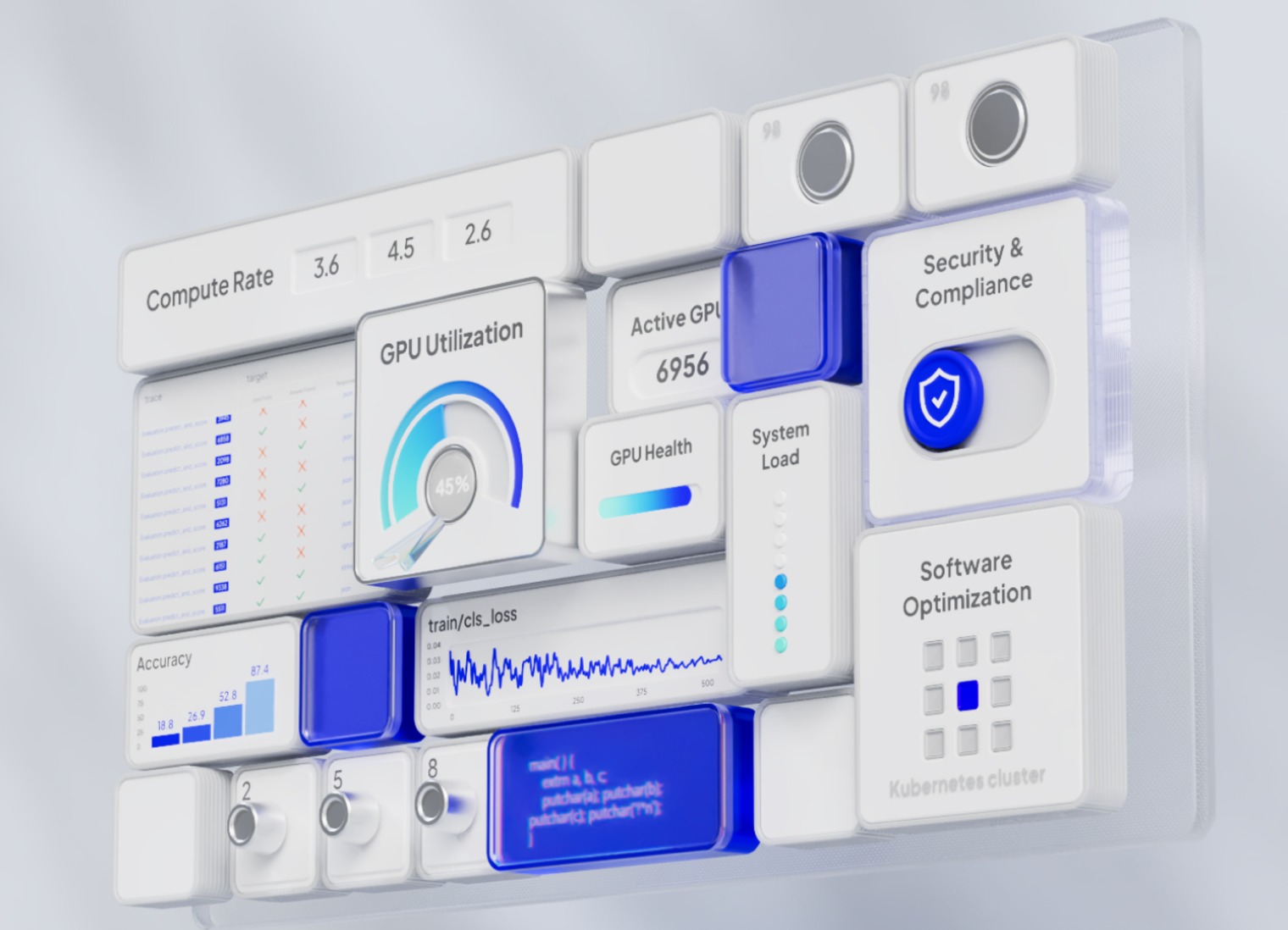
It’s the central nervous system that manages the infrastructure as it handles the “dirty work” of hardware maintenance.
Automated Operations
- Fleet Lifecycle Controller: handles provisioning and maintenance orchestration across the entire datacenter fleet
- Node Lifecycle Controller: Continuously runs passive & active health checks GPU nodes (link flaps, XID errors,etc)
- Replaces faulty nodes when needed
- Fleet Ops: Large-scale deployment automation
- Cloud Ops: Platform-wide operations management
Full-Stack AI Observability
- CoreWeave Dashboards: Out-of-the-box detailed metrics and data for your clusters through CoreWeave Grafana
- Telemetry Relay: Centralized logging and metrics

🔋GPU Platform & Pricing
1. GPU/CPU Platforms
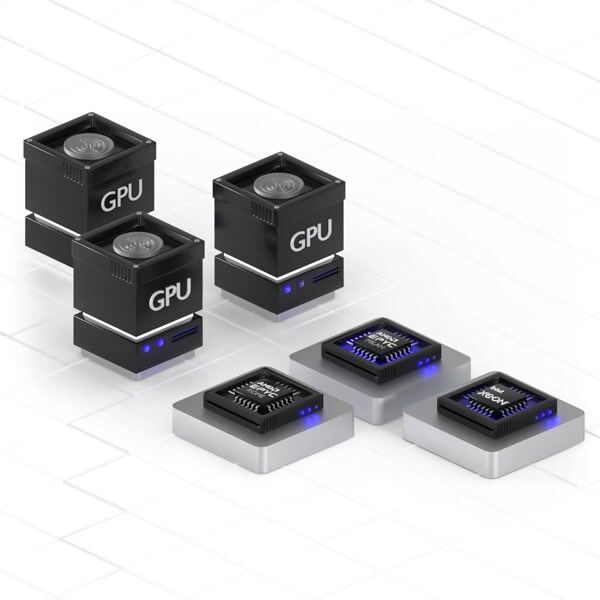
CoreWeave offers the following GPU and compute resources pricing across regions:
| GPU Instance Model | GPU Count | VRAM (GB) | vCPUs | RAM (GB) | Price/h |
|---|---|---|---|---|---|
| NVIDIA GB300 NVL72 | 41 | 279 | 144 | 960 | Contact sales |
| NVIDIA GB200 NVL72 | 41 | 186 | 144 | 960 | $42.00 |
| NVIDIA B200 | 8 | 180 | 128 | 2,048 | $68.80 |
| NVIDIA RTX PRO 6000 Blackwell Server Edition | 8 | 96 | 128 | 1,024 | $20.00 |
| NVIDIA HGX H100 | 8 | 80 | 128 | 2,048 | $49.24 |
| NVIDIA HGX H200 | 8 | 141 | 128 | 2,048 | $50.44 |
| NVIDIA GH200 | 1 | 96 | 72 | 480 | $6.50 |
| NVIDIA L40 | 8 | 48 | 128 | 1,024 | $10.00 |
| NVIDIA L40S | 8 | 48 | 128 | 1,024 | $18.00 |
| NVIDIA A100 | 8 | 80 | 128 | 2,048 | $21.60 |
| CPU Model | CPU Type | vCPUs | RAM (GB) | Storage (TB) | Price/h |
|---|---|---|---|---|---|
| AMD Genoa (9274F) | High Performance | 96 | 768 | 7.68 | $6.42 |
| AMD Genoa (9454) | General Purpose | 192 | 1,536 | 7.68 | $7.78 |
| AMD Genoa (9454) | General Purpose – High Storage | 192 | 1,536 | 61.44 | $8.86 |
| AMD Genoa (9654) | High Core | 384 | 1,536 | 7.68 | $7.54 |
| AMD Turin (9655P) | General Purpose | 192 | 1,536 | 7.68 | $8.18 |
| AMD Turin (9655P) | General Purpose – High Storage | 192 | 1,536 | 61.44 | $9.31 |
| Intel Emerald Rapids (8562Y+) | General Purpose | 64 | 512 | 7.68 | $5.31 |
| Intel Ice Lake (6342) | General Purpose | 96 | 384 | 19.2 | $3.36 |
| Product | Tier | Price |
|---|---|---|
| CoreWeave AI Object Storage | Hot | $0.06/GB/mo* |
| CoreWeave AI Object Storage | Warm | $0.03/GB/mo |
| CoreWeave AI Object Storage | Cold | $0.015/GB/mo |
| Distributed File Storage | – | $0.070/GB/mo* |
🏷️ Included Free
✅ Managed Kubernetes
✅ Managed Slurm on Kubernetes (SUNK)
✅ Egress/Ingress traffic
✅ IOPS for standard storage
✅ NAT Gateway
CLI Installation & Quick Start

CWIC is CoreWeave’s CLI for provisioning and for managing bare-metal AI infrastructure. Built for developers and ML engineers who need fast, direct access to platforms compute resources (CKS clusters, nodes, networking, and storage).
1. Install the CLI
Ubuntu/Debian:
# Download and extract the binary
curl -fsSL https://github.com/coreweave/cwic/releases/latest/download/cwic_$(uname)_$(uname -m).tar.gz | tar zxf - cwic && mv cwic $HOME/.local/bin/
See official git repo for macOS installation.
Auto-Update
cwic update
## check version
cwic version
CWIC (CoreWeave Intelligent CLI) version 1.20.1 linux/amd642. Auto completion
# Add directly to bashrc
echo 'source <(cwic completion bash)' >> ~/.bashrc
source ~/.bashrc

$ cwic
auth        (Manage authentication)
cluster     (Manage CoreWeave clusters)
completion  (Generate the autocompletion script for the specified shell)
cwobject    (Interact with CoreWeave Object Storage)
help        (Help about any command)
node        (Perform operations on nodes (requires kubeconfig))
nodepool    (Perform operations on nodepools (requires kubeconfig))
sunk        (Interact with SUNK resources (requires kubeconfig))
update      (finds the latest version and installs it)
version (Provides the build version)3. Configure Your Profile
Authentication
Before using CWIC, you’ll need an invitation to register your new account. Then authenticate with CoreWeave using:
Interactive (Browser-based):
cwic auth login
Or Direct Token:
- Visit https://console.coreweave.com/tokens
- Generate a new API token
- Use it with
cwic auth login YOUR_TOKEN
cwic auth login YOUR_TOKEN_HERENote: CWIC stores configuration in your home directory: Linux/macOS: ~/.cwic/config.json
4. Verify Setup
Confirm your authentication is working:
# Check current user/organization
cwic auth whoami

# Check configuration file
cat ~/.cwic/config.json
{
  "users": {
    "aiea": {
      "cw_auth_token": "CW-SECRET-xxx-xxx",
      "display_name": "My_Org"
    }
  },
  "user": "account_name"
}

# Verify access by listing clusters
cwic cluster get
NAME     ZONE          STATUS           PUBLIC   VERSION   ENDPOINT
----     ----          ------           ------   -------   --------
use06a US-EAST-06A STATUS_RUNNING Yes v1.35 xxxx.k8s.US-EAST-06A.coreweave.comCommands
Authentication
# Login (interactive or token)
cwic auth login
cwic auth login <token> --name "My_Org"

# Check current account status
cwic auth whoami

# Switch/list accounts
cwic auth switch [organization]

# Logout
cwic auth logoutExamples:
# Login to multiple organizations with friendly names
cwic auth login abc123... --name "Production"


# List all authenticated accounts
$ cwic auth switch
Output: Available organizations:
  Production (org-id-123) (active)
  Development (org-id-456)

# Switch to different account
cwic auth switch Development
# Or use the organization ID directly
cwic auth switch org-id-456

# Check which account you're currently using
cwic auth whoami
Output: Currently authenticated as: Production (org-id-123)Cluster Management
⚡Auto-generates kubeconfig, multi-cluster support
# List clusters
cwic cluster get

# Generate kubeconfig
cwic cluster auth <cluster-name>
# Generate kubeconfig for all clusters
cwic cluster auth allNodePool Management
# Node configuration staging/rollback
# View nodes
cwic nodepool node get <nodepool-name>
cwic nodepool node get <nodepool-name> --requiring-reconfiguration

# Apply/rollback profiles
cwic nodepool upgrade <nodepool-name>
cwic nodepool rollback <nodepool-name>Node Operations
Surfaces CKS metadata, lifecycle actions. You need to be connected to the cluster through kubeconfig in order to run the below commands.
export KUBECONFIG=/path-to-kubeconf/file
# List/describe nodes
cwic nodepool list
NAME       INSTANCE TYPE       TARGET   QUEUED   INPROGRESS   CURRENT   PENDING CONFIG   STAGED NODES   REQUIRING
cpu-pool   cd-gp-i64-erapids   1        0        0            1         false            false          0/1
gpu-pool   gd-8xh100ib-i128    1        0        0            1         false            false          0/1

### list nodes from gpu-pool nodegroup
cwic nodepool node get gpu-pool
NAME       IP          TYPE            RESERVED NODEPOOL  READY   ACTIVE  VERSION  STATE
x55a80i   10.x.x.x   gd-8xh100ib-i128   xx      gpu-pool   true    true   2.31.0  production

# cwic node <action> <node-name>
cwic node get  <node-name>
cwic node describe <node-name>

# cwic node describe <node-name>
cwic node describe x55a80i
Name:                  x55a80i
Organization ID:       orgid
Cluster:               default
NodePool:              gpu-pool (xxxx-xxx-xxx-xx)
OS Image Version:      2.31.0
Instance Type:         gd-8xh100ib-i128
Ethernet Speed:        100G
GPU Count:             8
GPU Model:             H100_NVLINK_80GB
GPU VRAM:              81 GiB
GPU Driver Version:    580.126.09
Schedulable:           Yes
State:                 production (Ready for customer workloads)

# Cordon/drain
cwic node cordon <node-name>
cwic node drain <node-name>

# Reboot
cwic node reboot <node-name>
cwic node reboot --safe <node-name>

# Verification tests
cwic node verify <node-name>

# Shell access to bare-metal
cwic node shell <node-name>

# Grafana dashboard
cwic node view <node-name>Object Storage (cwobject)
S3-compatible storage, access control
# Bucket operations
cwic cwobject list
cwic cwobject mb <bucket-name>
cwic cwobject rb <bucket-name>
cwic cwobject bucket describe <bucket-name>

# Move objects
cwic cwobject move <source> <destination>

# Token management
cwic cwobject token create --name <TOKEN_NAME> --duration <seconds|Permanent>
cwic cwobject token get
# Access Key [1]:
#  Access Key ID:   CWXXXX
#  Status:          ACTIVE
#  Principal Name:  coreweave/xxxxxxxxxxxx
#  Expiry:          0001-01-01T00:00:00Z
#  Org ID:          orgid
#  Attributes:
#    - created-by: cwic
#    - name: cwic-xxxxxxxxx

# Policy management
# Create policy
 cat > admin-policy.json  << EOF
{
  "policy": {
    "version": "v1alpha1",
    "name": "full-admin-access",
    "statements": [
      {
        "name": "allow-admin-s3-access",
        "effect": "Allow",
        "actions": ["s3:*"],
        "resources": ["*"],
        "principals": ["coreweave/UserUID"]
      }
    ]
  }
}
EOF

cwic cwobject policy create --file admin-policy.json
cwic cwobject policy get
cwic cwobject policy delete --name <policy-name>

# transfer file to buckets
# Configure your local AI Object Storage credentials (one-time) using created token above.
cat >> ~/.s3cfg << EOF
[default]
access_key = CWXXXXXXXXXX
secret_key = cwXXXXXXXXXXXXXXXXXXXXXXXXXXXXXXXXXXXXXXXX
host_base = cwobject.com
host_bucket = %(bucket)s.cwobject.com
use_https = True
bucket_location = AVAILABILITY_ZONE
EOF

# Install s3cmd
uv pip install s3cmd
source ~/.venv/bin/activate

# Create Bucket
cwic cwobject mb cloudthrill-obj

# Upload files
s3cmd put some-data.txt s3://cloudthrill-obj/

# list objects
s3cmd ls
2026-01-28 05:24 s3://cloudthrill-objSUNK (Slurm) Management
HPC workload management on Kubernetes
# 1. Cluster Operations:
# List/describe clusters
cwic sunk cluster get
cwic sunk cluster describe [CLUSTER_NAME]

# 2. Grafana dashboard
cwic sunk cluster view [CLUSTER_NAME]

# 3. Node Management
# List/describe nodes
cwic sunk node get
cwic sunk node describe <node-name>
cwic sunk node view <node-name>

# 4. Job Management:
# List/describe jobs
cwic sunk job get
cwic sunk job describe <job-id>
cwic sunk job view <job-id>Conclusion
In this post, we explored CoreWeave’s core services, bare-metal architecture, and why on-demand access doesn’t exist (it’s all taken). Then we covered CWIC CLI setup and essential commands for managing GPU infrastructure.
Part 2 : I’ve set a goal to explore more from CoreWave platform, and contribute it to the open-source community🙏.